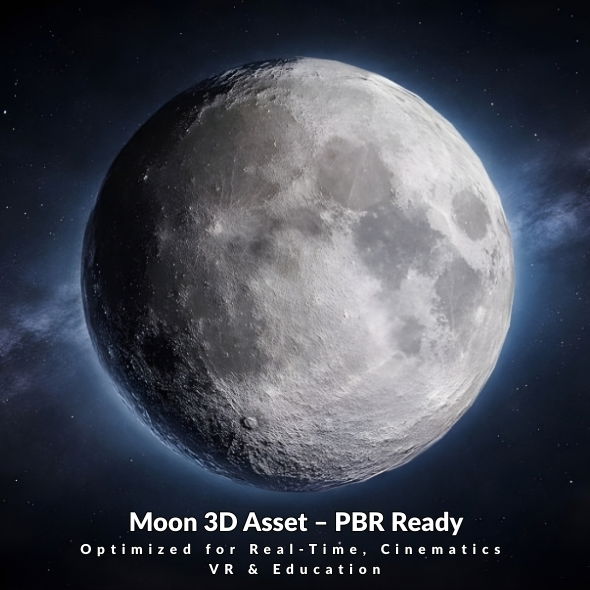
Why PBR Matters for Lunar Surfaces
PBR workflows provide consistent results across engines and renderers. The Moon model includes 4K Base Color, Roughness, and Normal maps, helping you achieve realistic lunar shading without heavy geometry.
Texture Setup
- Base Color: Defines the lunar albedo and surface variation.
- Roughness: Controls micro-surface reflectivity for realistic light response.
- Normal Map: Adds crater and surface detail without additional polygons.
Lighting Tips
Directional Light for Sun Simulation
Use a strong directional light to mimic sunlight and reveal crater depth and surface relief.
Subtle Fill Light
Add a faint fill light or HDRI to avoid overly harsh contrast, especially for cinematic renders.
Real-Time Optimization
- Use texture compression settings suitable for your target platform.
- Keep the model as a single draw call where possible.
- Leverage mipmaps and LODs for distant shots.
Software Compatibility
The Moon model works in Blender, Unity, Unreal Engine, 3ds Max, and other tools that support OBJ, FBX, GLTF, DAE, or STL formats.
Get the Moon Model
See the full specs and interactive preview on the Moon 3D Model page.
Purchase directly on 3D Ocean or browse all assets in the 3D Models collection.
Conclusion
With clean topology and high-quality PBR textures, the Realistic Low-Poly Moon model delivers reliable results for both real-time and cinematic workflows. It is a solid foundation for any space-themed visualization or interactive experience.
Leave a Reply